Address book
More than just an address book—a digital construction file for each company
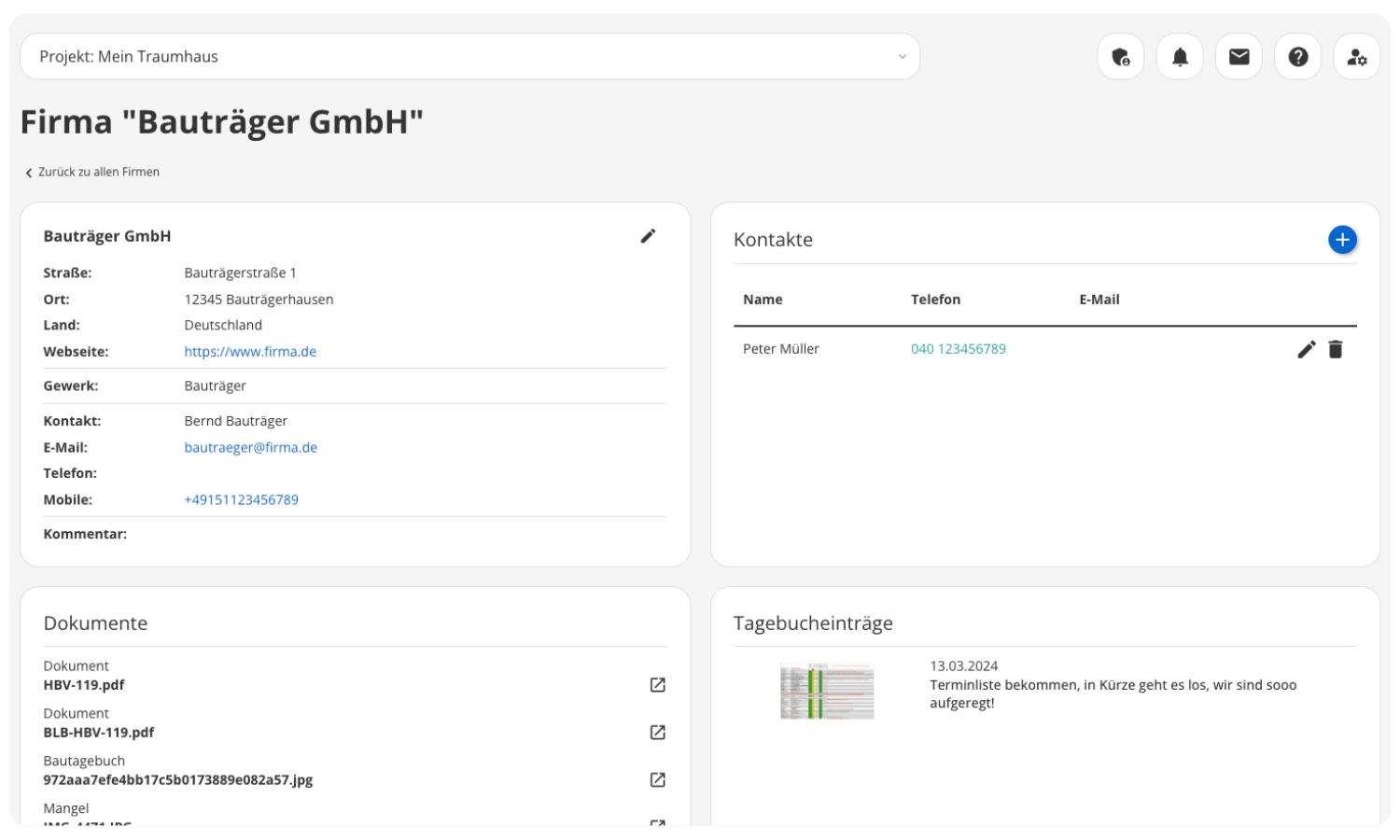
With POCASIO’s address book, you can store all your contractors and partners in one place. But POCASIO doesn’t just store contacts—it also consolidates all the information about your contractors: costs, defects, documents, and more. This creates a central details page for each company—clear, comprehensive, and accessible at any time.



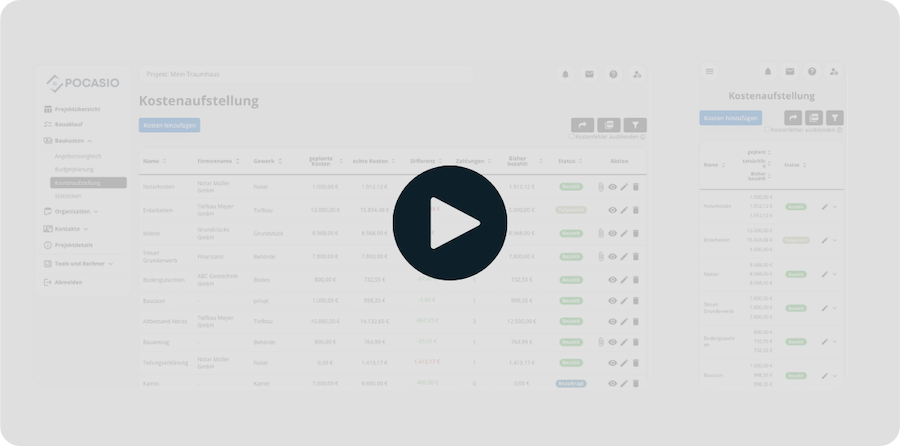
Without context related to the project, contacts are just addresses
Building a house involves many companies, contractors, and service providers. If their information is scattered across emails, WhatsApp, or Excel, you’ll lose track of everything—especially how it all relates to the project. With a centralized overview, POCASIO consolidates all the information: You can see not only contact details but also which costs, documents, to-dos, or defects are associated with each company.

Contact information scattered everywhere
Phone numbers and addresses on business cards, scraps of paper, WhatsApp, or in emails—without a central address book, you’ll lose track of your construction partners.
No connection to the project
Without a central overview, you may know who the company is, but you won’t know what it has done on your construction site or what it’s still supposed to do.
Important information gets lost
Scattered notes, agreements, and documents can quickly disappear. It then becomes nearly impossible to recall later what was agreed upon with a company.So your contacts are more than just names and numbers
With the POCASIO address book, you don’t just have a list of all companies and contractors—each company gets its own profile with all the relevant information from your project. Costs, documents, to-dos, and defects are automatically linked, so you always have a complete overview. This turns a simple contact list into a powerful tool for organization and transparency.
All Companies at a Glance—Sorted and Organized
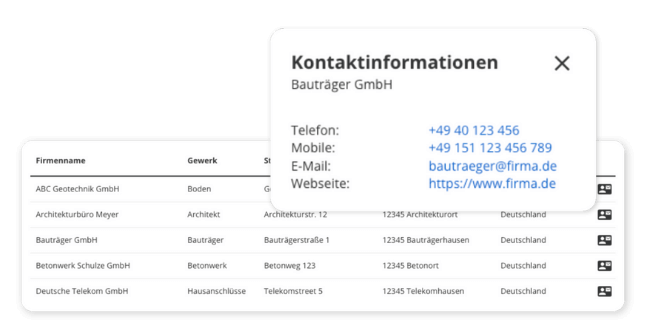
POCASIO provides you with a central address book for your entire construction project. You can view all participating companies, their areas of expertise, and contact information in a clear, organized table—which you can sort, filter, and export at any time.
So you don’t have to search for a long time when you need someone right away.

Detailed View by Company – Everything Linked
The real highlight: Every company has its own overview page. There, you can see all the linked content from your project—such as documents, costs, construction log entries, activities, defects, or to-dos. POCASIO automatically links everything related to that company—no matter where you created the entry.
So you can see at a glance: What’s going on—and what’s happened—with this company?
Contact information and points of contact always at your fingertips
In each company profile, you’ll find direct points of contact with their email addresses, phone numbers, and job titles—perfect for follow-up questions or tracking. Of course, you can add multiple contacts per company.
So you don’t have to dig through old emails when you need to get something done quickly!

But that’s not all!
In addition to company profiles with automatically linked data, the POCASIO address book offers you many other features. From smart search and document storage to stored contact information—this gives you full control over all your construction partners and their services at all times.
List of companies with filtering and search functions
All companies and service providers for your project at a glance—filterable by trade or name. This way, you can find the right contact person in seconds.Automatically Display Related Content
If you associate a company with a construction log entry, a cost item, or a to-do, it will automatically appear in the company profile along with all related entries.All documents for each company, compiled
Whether they’re plans, contracts, agreements, or supporting documents—all of a company’s documents are organized, linked, searchable, and can be downloaded again. Say goodbye to PDF chaos.Assignment of Tasks and Activities
Keep track of which appointments, pending tasks, or issues are assigned to a company—including their status and date. That way, you can clearly go over all the points during your next meeting.Contact the Right Person
Save multiple contacts per company, including their phone number, email address, and job title. That way, if a problem arises, you can reach the right person right away without having to search through emails.Stay connected even when you’re on the job site
Whether you’re on a construction site, talking on the phone with a contractor, or working on your laptop in the evening—POCASIO works on all devices, making it the perfect companion for your project.3 Steps to the Construction Partner Directory
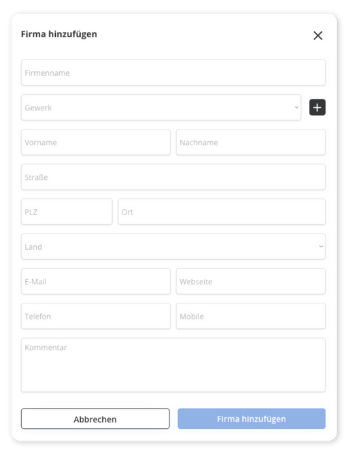
Create a central record in POCASIO for all participating companies, tradespeople, and service providers—including contact information, points of contact, and trade specialties.
3 Steps to the Construction Partner Directory
Whether they’re costs, documents, tasks, or issues: All entries are automatically linked to the respective company and appear grouped together in the company profile.

3 Steps to the Construction Partner Directory
See at any time what services a company has provided, what outstanding items there are, and what documents have been filed. This way, you stay in control and can reach the right person immediately if necessary.
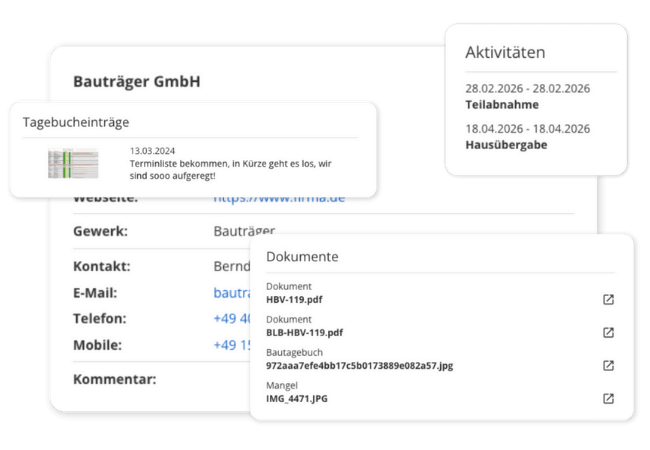

With POCASIO, you always know who’s responsible for what
Without a centralized overview, contact information is scattered and disconnected from the project. POCASIO consolidates all information about each company into its own profile—so you always have a clear picture of services, documents, and responsibilities.
POCASIO in Comparison

e.g. e-mails or Excel

House Construction Manager
Central company directory with filter and search functions by trade/name
Automatic linking to project entries
All documents grouped by company
Overview of Tasks, Deficiencies, and Costs
Thanks to mobile optimization, you always have all your data with you—even on the construction site
Create a Notice of Defect as a PDF
Share a project with a partner and have shared access
Many other features, such as a construction schedule, construction log, construction cost breakdown, construction guide, and much more, make it the perfect companion for your construction project
Thousands of users. A tool for every construction project.
Whether it’s a single-family or semi-detached house, an apartment building or residential building, a single apartment, hotel, or restaurant: POCASIO helps to implement construction and renovation projects in a less stressful, clearer, and more cost-effective manner.









Start your Own Construction Project for Free Now.
With POCASIO, you can organize your construction or renovation project in one place and always have all the information in your pocket!
Frequently Asked Questions
Here you’ll find out what other builders, renovators, and project managers wanted to know before getting started with POCASIO.
POCASIO is digital project management software designed specifically for building owners. It helps you keep construction costs under control, plan the construction process in a structured way, and centrally organize all important documents and tasks.
POCASIO is designed for (private) homeowners who are building a new house or undertaking a major renovation. Whether this is your first time building or you already have experience, this solution provides you with structure and peace of mind every step of the way.
Not at all. POCASIO is designed so that even first-time builders with no prior experience can get started right away—with clear structures and simple tools.
Each company gets its own profile, in which not only contact details, but also all associated costs, documents, tasks and defects are bundled.
Yes. You can save as many contacts as you like for each company, including their name, phone number, email address, and job title.
Yes. If you enter a company—for example, in a cost item, a construction log entry, or a defect report—that entry will automatically appear in the company profile as well.
Of course. All uploaded plans, quotes, invoices, contracts, or supporting documents appear directly in the company profile and are organized and searchable.
POCASIO offers a free basic version that works great during the planning phase. Once your construction phase begins and you want to track payments, for example, you can do so with the Plus license. The good news is that, thanks to the free license, you’ll know by then whether POCASIO is the right solution to support you through the end of your project.
POCASIO Plus is available as a monthly or annual subscription. Alternatively, you can purchase a one-time license if you don’t want to make recurring subscription payments. You can find the current prices on our Pricing page.
Yes, of course! POCASIO is web-based and automatically adjusts to the screen size of your laptop, tablet, or smartphone. There are also apps available for iOS and Android in both app stores. This means you can access your project at any time, even on a construction site or while on the go.
Yes, you can share your project with others. For example, your construction partner, energy consultant, architect, or building inspector can view the construction progress, documents, and costs at any time—without having to send cumbersome Excel spreadsheets and emails back and forth.
Then simply try it out for free! And if it’s not for you, you can delete your account at any time via your profile settings. And perhaps you could even let us know what you felt was missing, so that we can make POCASIO even better!