House building software
Features that protect you from chaos and the need for additional funding
Whether it’s a single-family home, a condominium, or a multi-family housing project: The POCASIO home-building software puts all the tools you need for building a home right in your pocket.

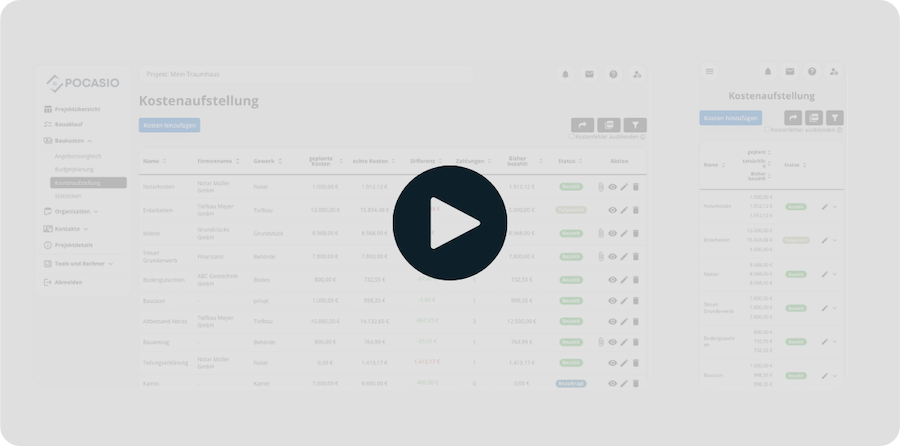
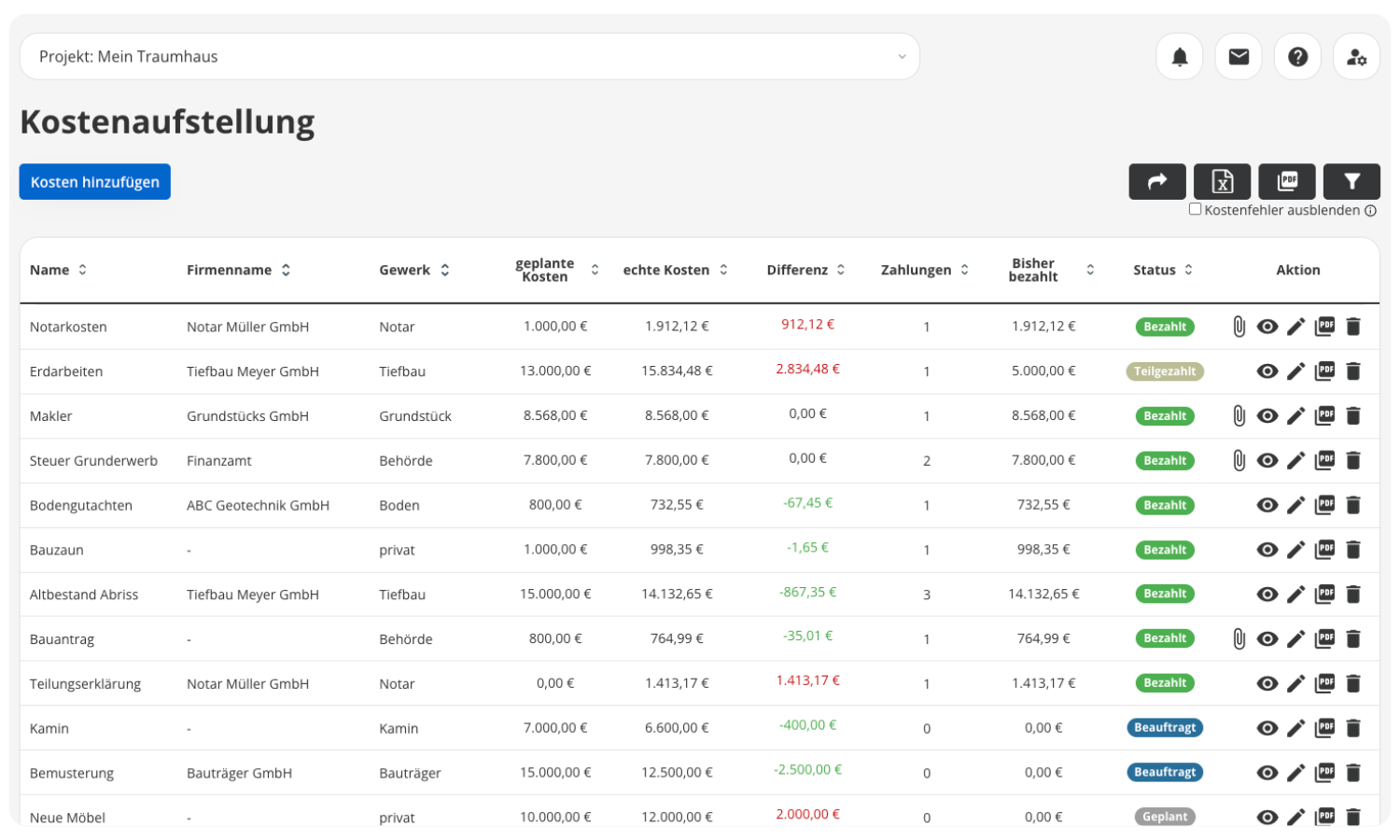
Building cost breakdown
Planned vs. Actual Costs
Enter the planned costs for your construction project and update them step by step with the actual invoices and payments. POCASIO automatically compares both figures, immediately highlights any discrepancies, and clearly shows you where you stand. In the cash flow overview, you can also see at any time which financing sources (equity, grants, or loans) have already been used and how much is still available.
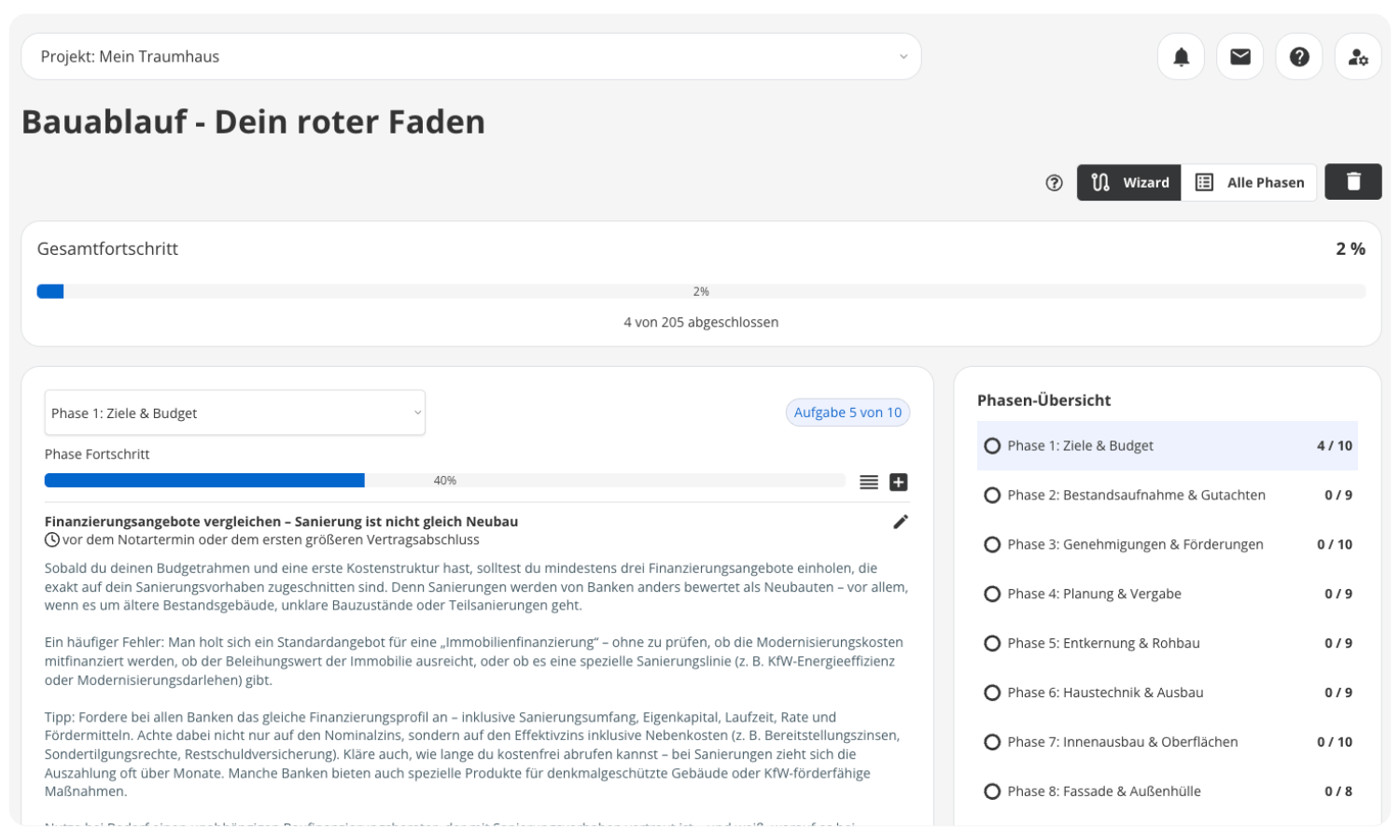
Construction Guide
A Common Thread for Your Project
Whether it’s a new construction project you’re managing yourself, a new construction project with a developer, or a major renovation: POCASIO guides you step by step through your construction project with a tailored guide. Each option is broken down into clear phases and tasks, so you always know what needs to be done right now and what’s coming next. This gives you clarity, helps you avoid costly mistakes, and lets you manage your project from planning through to handover.
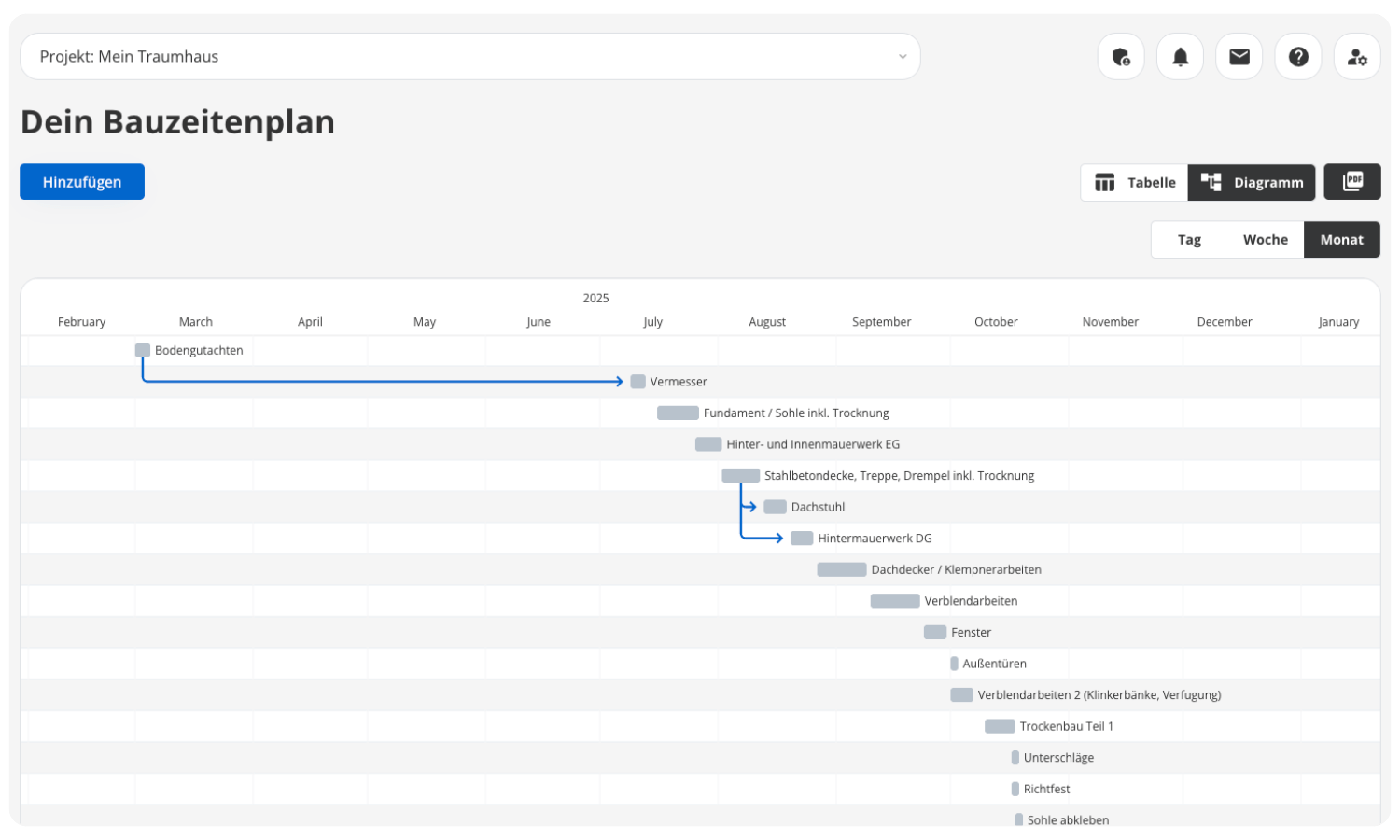
Construction schedule
Reliable Scheduling
Keep your construction project on track: With POCASIO’s construction schedule, you can plan all tasks clearly in a table or visualize them in a Gantt chart. Dependencies between work steps are automatically taken into account—so you can immediately see when delays occur and what impact they have. This gives you confidence in your planning and ensures that your construction project stays on schedule.
Construction diary
Capture important moments
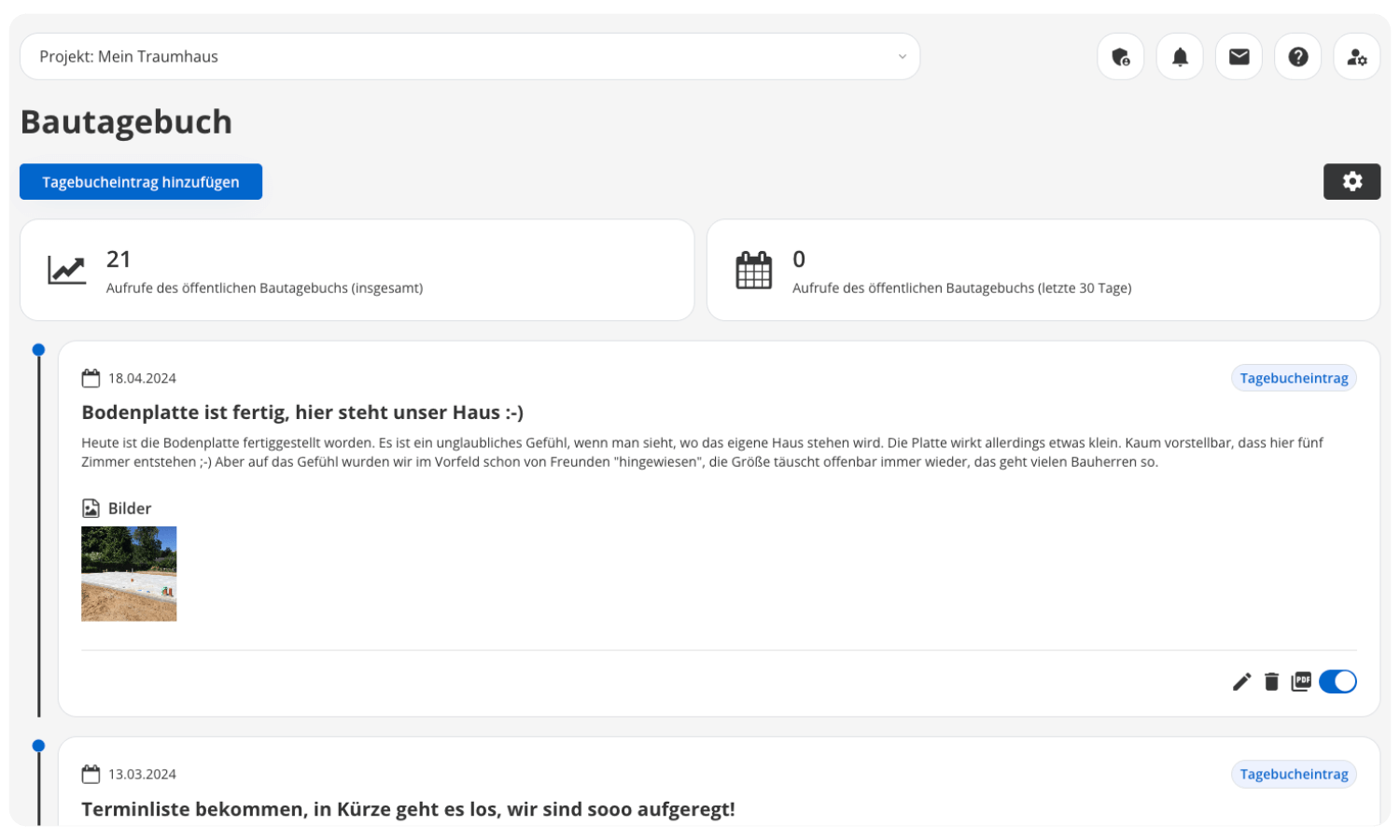
Document the journey to your dream home: In the construction diary, you can keep track of all your progress, photos, notes, and experiences in one place. This creates a complete chronicle of your construction project. At the same time, with each entry, you decide whether it remains visible only to you or appears on the public construction blog. This lets you share your progress with family, friends, or a wider community—without any extra effort.
Construction Documentation
Capture Photos & Progress
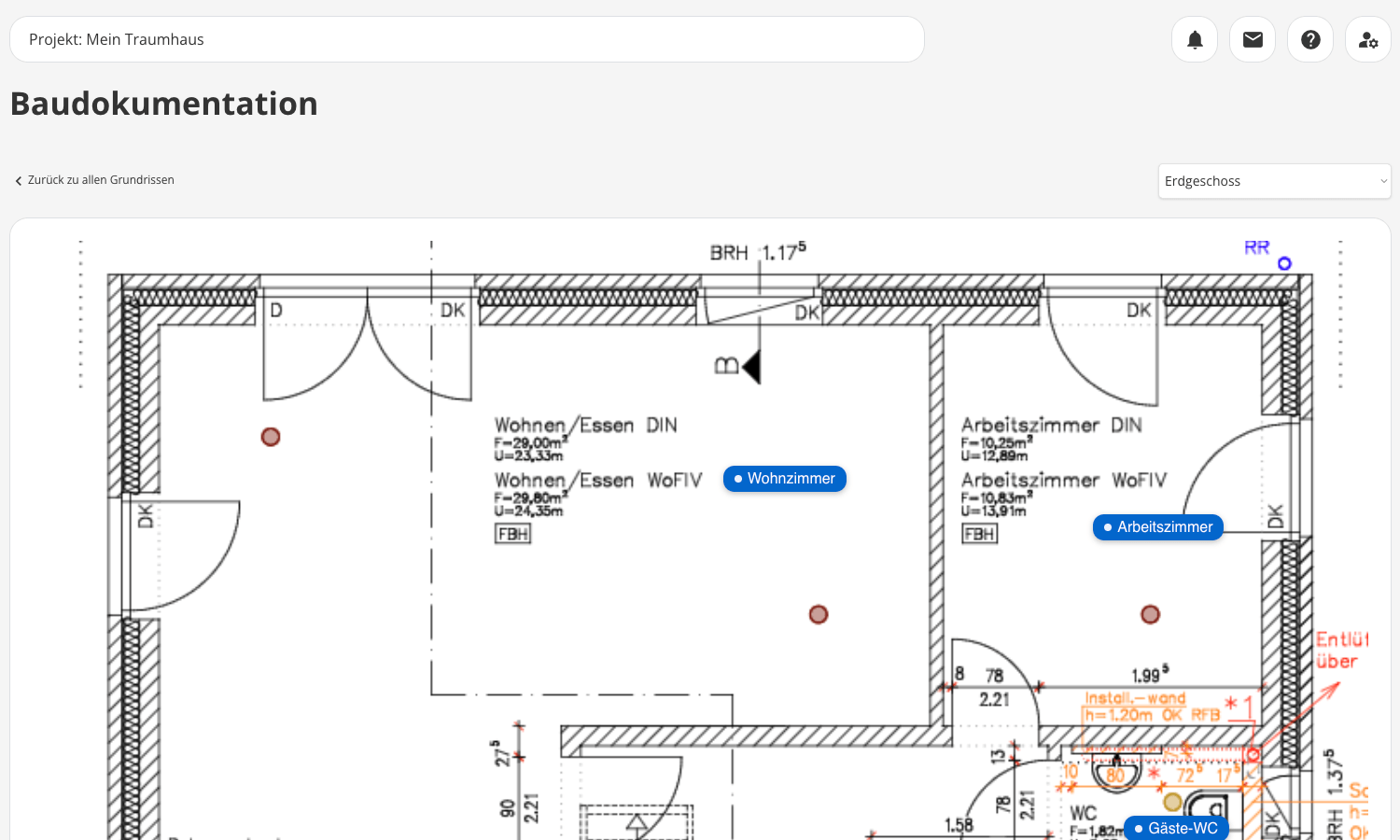
When building a house, a photo often speaks louder than a thousand words—especially when it really counts later on. With POCASIO’s construction documentation, you can track every step of the building process and assign photos directly to the corresponding rooms on the floor plan. This creates a chronological overview at the room level that you can browse at any time. If desired, you can also link defects, to-do items, or costs to specific rooms.
Document storage
All documents in one place
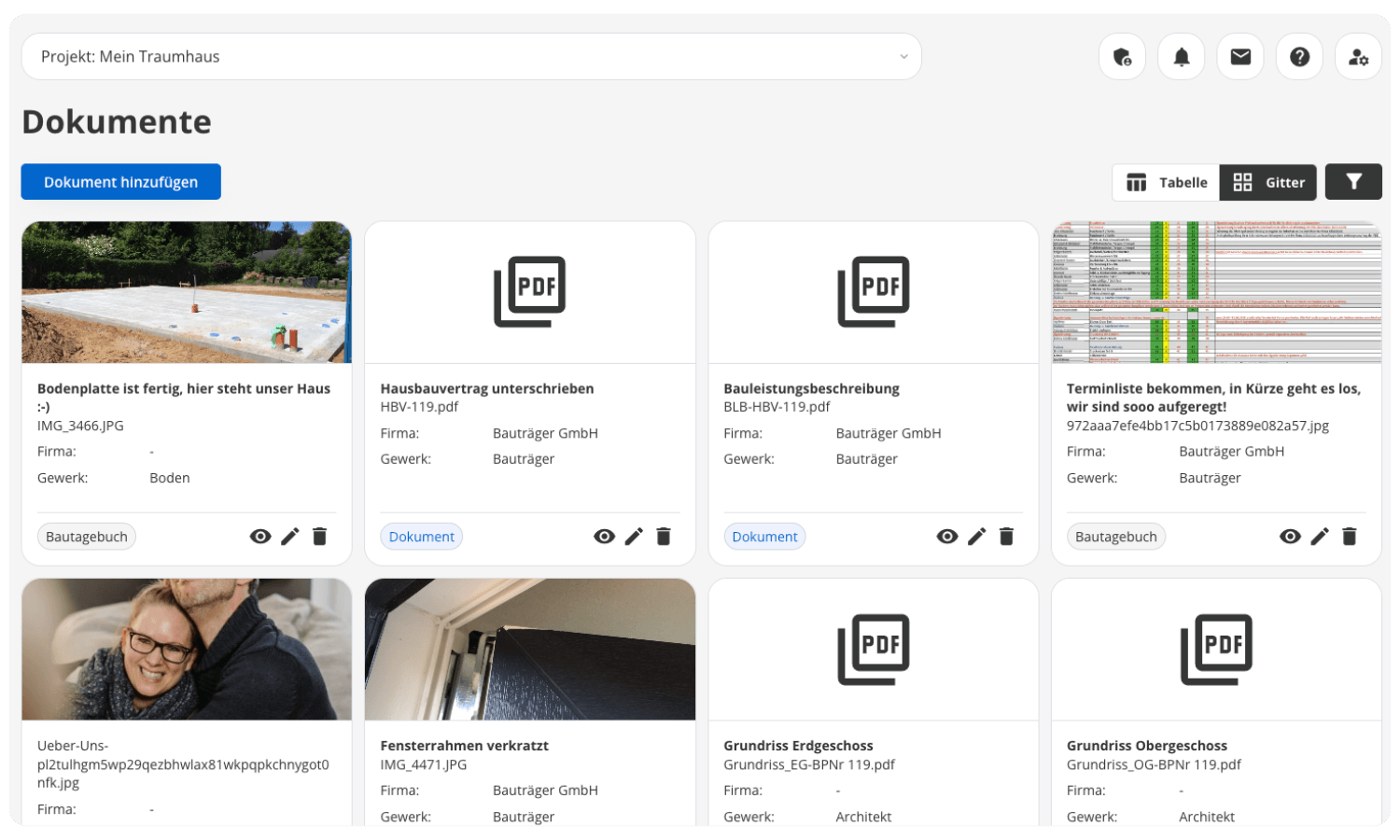
Contracts, invoices, plans, or photos—when building a house, countless documents quickly pile up. With POCASIO, you can find everything in one central document overview. Not only are directly uploaded files stored there, but also all documents you save in other sections, such as cost items or the construction log. Thanks to filter and search functions, you can access them specifically at any time.
Comparison of Offers
Choose the best offer
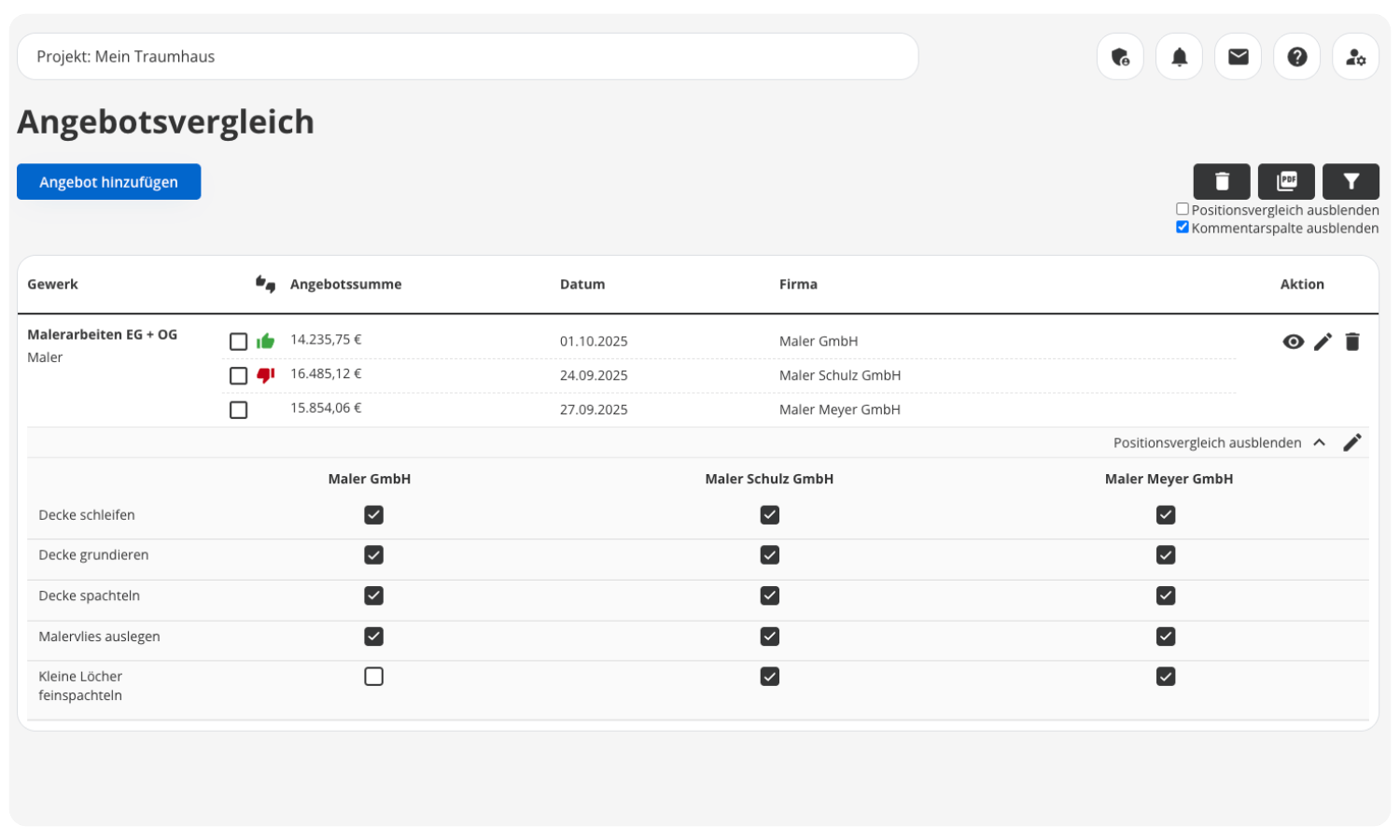
Get multiple quotes and make an informed decision: With POCASIO’s quote comparison tool, you can compare quotes from different contractors or providers side by side in an organized manner. Prices, services, and terms are clearly laid out, so differences are immediately apparent. This helps you avoid making the wrong choice, identify the best value for your money at a glance, and save money.

Construction defects
Keep an eye on defects
Unfortunately, errors and defects are almost inevitable in any construction project. With POCASIO, you can document them right on-site—with photos, notes, and all relevant details. Each entry is clearly organized and can be traced at any time. And when things get serious, you can generate a professional defect report as a PDF with the click of a button, which you can forward directly to the responsible company. This saves you time and ensures that no defect is overlooked.
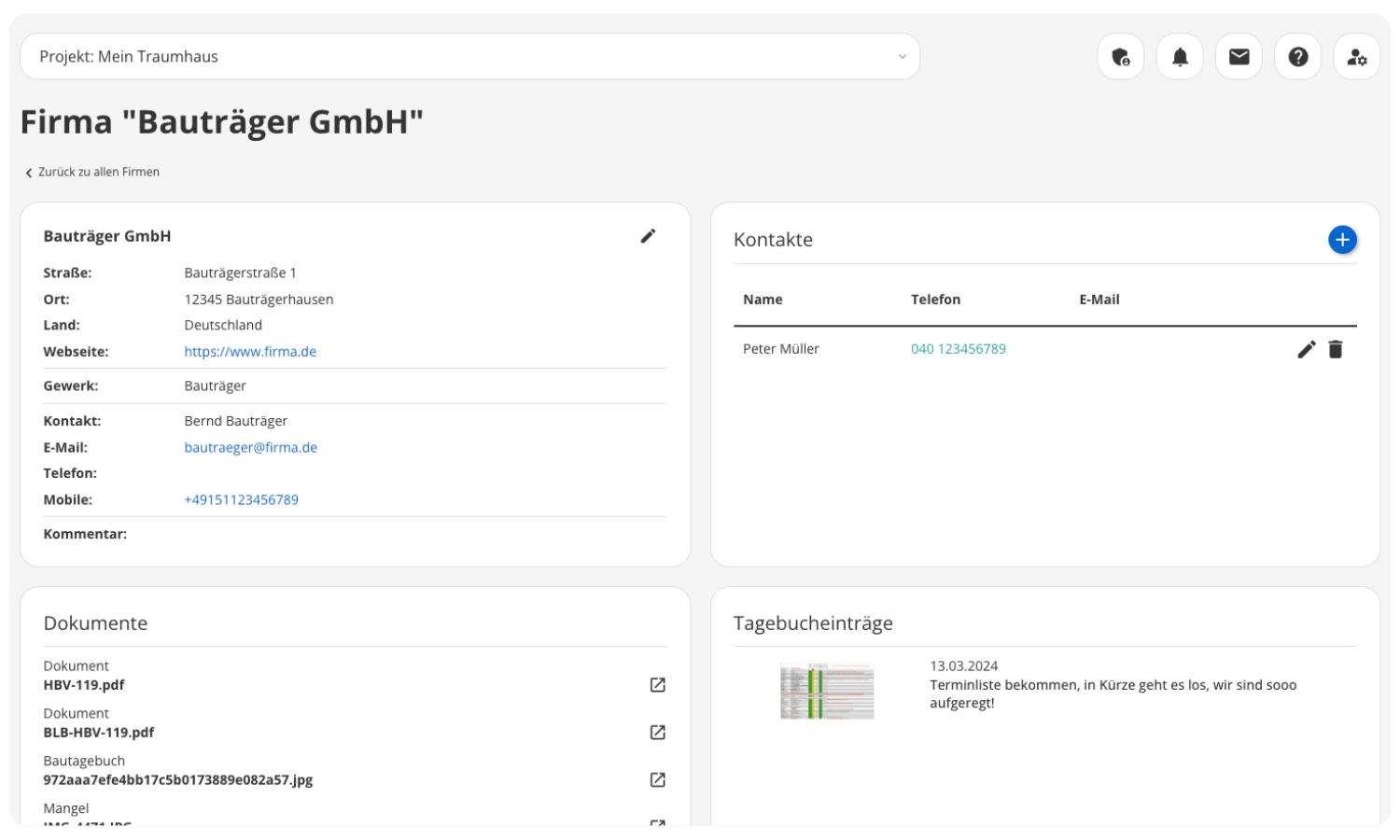
Address book
More Than Just Addresses
Keep track of all your contacts: In the POCASIO address book, you can not only save the contact information for your tradespeople, service providers, and suppliers, but you’ll also get a separate details page for each company. All related information from across the entire app is automatically consolidated there—from costs and invoices to documented defects and entries in the construction log. This gives you a clear overview at all times.
But that’s not all!
Even beyond the main modules, POCASIO helps you with the day-to-day aspects of your construction project. Whether it’s checklists, to-do lists, or tracking construction workers—with these handy tools, you’ll have everything at your fingertips, well-organized, and accessible at any time.
Statistics
Keep track of your expenses with insightful statistics and charts. Which trades are costing more than planned? What is the equity ratio? And much more.Checklists
Create your own checklists for specific tasks and workflows. Flexible, personalized, and exactly tailored to your project’s needs—without rigid templates.Construction helper
Register your construction workers quickly and easily right in POCASIO. This ensures you meet the requirements of BG Bau and have all documentation readily available at all times—including PDF export if needed.To-do list
Organize your tasks clearly in a personal to-do list. That way, you’ll never forget anything and will always have an overview of all your pending items.Tools & Calculators
Use practical tools and calculators to help you plan and make decisions—from construction cost calculators to key metrics such as GRZ and GFZ.Project Details
Define the key details of your project—whether it’s a new construction or a renovation, and the size and scope of your home. This is how POCASIO lays the foundation for everything that follows.
Thousands of users. A tool for every construction project.
Whether it’s a single-family or semi-detached house, an apartment building or residential building, a single apartment, hotel, or restaurant: POCASIO helps to implement construction and renovation projects in a less stressful, clearer, and more cost-effective manner.









Start your Own Construction Project for Free Now.
With POCASIO, you can organize your construction or renovation project in one place and always have all the information in your pocket!
Frequently Asked Questions
Here you’ll find out what other builders, renovators, and project managers wanted to know before getting started with POCASIO.
POCASIO is digital project management software designed specifically for building owners. It helps you keep construction costs under control, plan the construction process in a structured way, and centrally organize all important documents and tasks.
POCASIO is designed for (private) homeowners who are building a new house or undertaking a major renovation. Whether this is your first time building or you already have experience, this solution provides you with structure and peace of mind every step of the way.
Not at all. POCASIO is designed so that even first-time builders with no prior experience can get started right away—with clear structures and simple tools.
POCASIO offers a free basic version that works great during the planning phase. Once your construction phase begins and you want to track payments, for example, you can do so with the Plus license. The good news is that, thanks to the free license, you’ll know by then whether POCASIO is the right solution to support you through the end of your project.
POCASIO Plus is available as a monthly or annual subscription. Alternatively, you can purchase a one-time license if you don’t want to make recurring subscription payments. You can find the current prices on our Pricing page.
Yes, of course! POCASIO is web-based and automatically adjusts to the screen size of your laptop, tablet, or smartphone. There are also apps available for iOS and Android in both app stores. This means you can access your project at any time, even on a construction site or while on the go.
Yes, you can share your project with others. For example, your construction partner, energy consultant, architect, or building inspector can view the construction progress, documents, and costs at any time—without having to send cumbersome Excel spreadsheets and emails back and forth.
Then simply try it out for free! And if it’s not for you, you can delete your account at any time via your profile settings. And perhaps you could even let us know what you felt was missing, so that we can make POCASIO even better!