All documents at your fingertips
Document Storage for Home Construction and Renovation
The document repository is the central hub for your project. Contracts, quotes, construction plans, and invoices all end up here, no matter where you uploaded them: anything attached to a construction log entry or a cost item appears here automatically. You can filter by company, trade, and module.



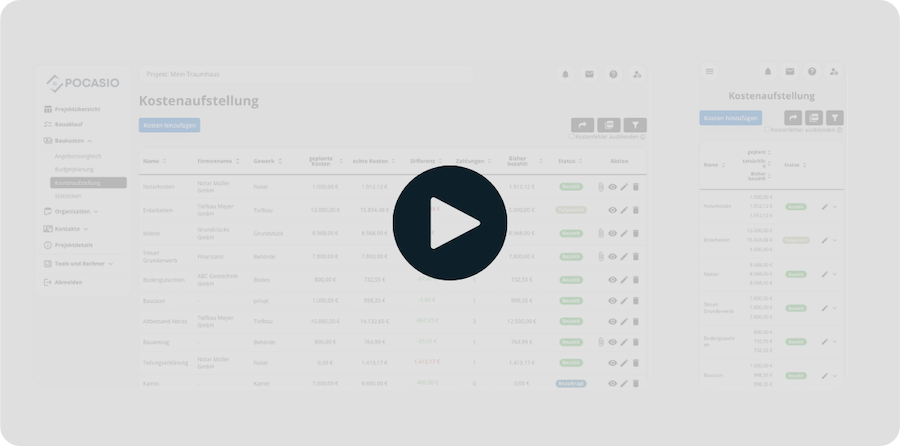
Document chaos costs time, causes stress, and, in some cases, even money.
Building a house generates countless documents: contracts, addenda, quotes, plans, and invoices. Without a clear structure, you can quickly lose track of things, spend a long time searching for important files, or miss deadlines. In the worst-case scenario, you might not have the right documentation if a dispute arises. That’s exactly where POCASIO comes in.

Important documents cannot be found
Without a central storage system, contracts, invoices, and plans end up scattered across folders, emails, or chat messages. That wastes time and causes frustration when you need something urgently.
No connection to the construction project
Even if you find a document, the relevant information is often missing: What costs are included? Which trade was involved? Without context, important connections are lost.
Lack of Documentation in an Emergency
When problems or disputes arise, you often don’t have the right documents at the right time. Without clear documentation, it becomes difficult to enforce claims or prove that mistakes were made.What’s here and what comes along on its own
With POCASIO’s document management system, you can keep your construction documents organized at all times. All files are stored centrally, automatically linked to your construction project, and can be easily filtered or searched. This way, you can find what you need in seconds—and have the right documentation ready immediately if needed.
What you upload directly here
Construction contract, building permit, floor plans, expert reports, insurance documents: Upload any documents that aren’t associated with a specific invoice or journal entry directly to the document repository. Assign each file to a company and a trade so it can be found using the filter.
So you don’t have to search for your construction documents—you’ll find them right away!


Invoices and photos from the construction site are automatically included
You don’t have to upload documents twice if you’ve already attached them elsewhere. An invoice linked to a cost item in the construction cost breakdown, a photo from the construction log, an expert report on a defect—all of these also appear in this overview. You upload them to the relevant task, and you can find them here.
So you can find everything again—even if it was just “hanging” somewhere!
You can see what a file is for without opening it
The list shows the company and the trade associated with each file, and you can view a preview with a single click.
So you can stay on top of things during the construction phase—and afterward, too!

But that’s not all!
In addition to the central overview, POCASIO’s document management system offers many other features that make your day-to-day work much easier. Whether it’s flexible file formats, smart links, or automatic organization by module—this transforms loose stacks of paper and scattered files into a digital construction file that’s always complete and at your fingertips.
Upload PDFs, images, and scans
Whether it’s a contract, an expert report, or a photo of a note: POCASIO supports various file formats—including scans created on mobile devices.Linking to Existing Entries
Documents can be linked directly to cost items, construction log entries, or defects —ensuring that the correct context is always maintained.Automatic Grouping by Module
POCASIO detects where a document was uploaded and lets you filter by specific modules (e.g., construction costs, construction log, or defects).Classification by Company and Trade
Assign your documents to the companies and trades involved. This way, you can see at a glance which documents belong to which partner.A Central Collection Point Instead of File Chaos
Forget about scattered folders and files: POCASIO will be your digital portfolio for your entire home construction or renovation project.Stay connected even when you’re on the job site
Whether you’re on a construction site, talking on the phone with a contractor, or working on your laptop in the evening—POCASIO works on all devices, making it the perfect companion for your project.3 Steps to the Document Overview
Upload contracts, invoices, plans, or photos directly to POCASIO—whether as PDFs, images, or scans. All files are stored centrally and are immediately accessible.

3 Steps to the Document Overview
Your documents are automatically linked to the appropriate modules, such as Costs, Construction Log, or Defects. This ensures that the context is always preserved, and you know exactly which module a document belongs to.

3 Steps to the Document Overview
Use the convenient search and filter functions to sort by construction phase, company, trade, or file type. This lets you find any document in seconds—whether you’re in the office or on the go at the construction site.

With POCASIO, you can keep your construction documents organized—instead of letting them turn into a mess
Without a central document repository, important documents end up scattered across folders, emails, or chat histories. POCASIO brings everything together in one place, automatically links documents to your project, and makes them easy to find at any time.
POCASIO in Comparison


A central folder instead of scattered files
Upload PDFs, Images, and Scans
Automatic linking to entries
Filter by module, company, or trade
Share a project with a partner and have shared access
Many other features, such as budget planning, construction schedules, checklists, construction guides, and much more, make it the perfect companion for your construction project
Thousands of users. A tool for every construction project.
Whether it’s a single-family or semi-detached house, an apartment building or residential building, a single apartment, hotel, or restaurant: POCASIO helps to implement construction and renovation projects in a less stressful, clearer, and more cost-effective manner.









Start your Own Construction Project for Free Now.
With POCASIO, you can organize your construction or renovation project in one place and always have all the information in your pocket!
Frequently Asked Questions
Here you’ll find out what other builders, renovators, and project managers wanted to know before getting started with POCASIO.
You can upload PDFs, images, and scans—whether they’re contracts, expert reports, or photos of notes. Documents scanned on mobile devices are also supported.
Yes. Files that you upload—for example, under “Costs,” in the construction log, or when recording defects—will automatically appear in your central document overview as well.
Yes. You can assign all documents to the relevant companies or trades. This way, you can see at any time which documents belong to which partner.
Yes. With just one click, you can export the content as a clear, easy-to-read PDF. That way, you’ll always have your data at your fingertips—to save, print, or share with others.
No. Anything you attach to a cost item, a construction log entry, or a
defect will automatically appear in the document repository as well. You don’t have to save anything twice
.
By default, it’s just you. If you share your project with someone else, they’ll also have access to the document repository.
POCASIO offers a free basic version that works great during the planning phase. Once your construction phase begins and you want to track payments, for example, you can do so with the Plus license. The good news is that, thanks to the free license, you’ll know by then whether POCASIO is the right solution to support you through the end of your project.
POCASIO Plus is available as a monthly or annual subscription. Alternatively, you can purchase a one-time license if you don’t want to make recurring subscription payments. You can find the current prices on our Pricing page.
Then simply try it out for free! And if it’s not for you, you can delete your account at any time via your profile settings. And perhaps you could even let us know what you felt was missing, so that we can make POCASIO even better!