Home Building App for Homeowners
Check construction costs, document defects, and check the construction schedule to see when the next trade will arrive. POCASIO is also available as a mobile app for iOS and Android.
Just download it from the App Store and Google Play Store and get started for free!



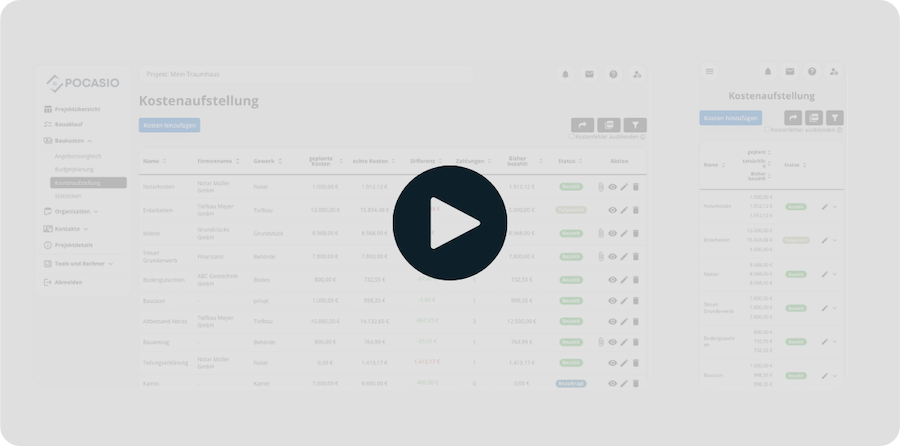
Your home computer won’t do you any good on the construction site
The electrician is standing in the shell of the building and wants to know whether the outlet should be installed at 30 or 110 centimeters. You decided that three weeks ago and wrote it down—just not here.
The POCASIO Home Building app accesses the same project as the browser. Whatever’s on the computer is also on the construction site.
What the home-building app can do that the browser can’t
You take a photo of the bare wall before the painter arrives and assign the photo directly to that room. That way, you don’t have to sort through them in the evening—and you avoid that moment when you have 40 photos in the gallery and can’t remember which room any of them were taken in.
Note any defects while you’re standing right in front of it
The usual routine during an inspection: You spot a scratch on the windowsill, plan to note it down that evening, spot two more before the end of the workday, and by the time you’re at your desk, you can only remember two out of the three. You type it into the app while the foreman is still standing right next to you.
Captured on the go, viewed on the big screen in the evening
You’ll enter the invoice on the way back, and you can assign it to your expense categories in the evening when you have some free time. Both are for the same project.
For everyone who’s helping to build
Your partner will see the same numbers on their phone. And if you make the construction log public, friends and family can follow along with your construction project, too.
All Features in Detail: Construction Cost Breakdown · Budget Planning · Construction Process · Construction Schedule · Construction Log · Construction Documentation · Construction Defects · Bid Comparison · Documents · Address Book








Frequently Asked Questions
Here you’ll find out what other builders, renovators, and project managers wanted to know before getting started with POCASIO.
Yes, both. On the App Store and Google Play. Just sign in with the same account you use in your browser, and you’ll find your project right away.
No. The app is part of your POCASIO account. Whether you work on a computer or a cell phone makes no difference to the price.
Yes, POCASIO requires an internet connection because your data is always kept up to date in the cloud, and your partner can see the same changes right away. A cell phone signal is sufficient on your construction site. And if you ever lose signal, you can take the photos with your camera and upload them later.
Yes. The app and browser are working on the same project. Here’s a typical workflow: At noon, you take photos of the installed wiring; in the evening, you assign them to the rooms on a large screen.
Yes. For tables like the construction cost breakdown, a larger screen is much easier to use than a cell phone.
Yes. You’re working on the same project, and you both see the same costs, deadlines, and issues. Everyone needs their own account.
Then simply try it out for free! And if it’s not for you, you can delete your account at any time via your profile settings. And perhaps you could even let us know what you felt was missing, so that we can make POCASIO even better!